

A monthly AI bill is easy to produce. What that bill bought, workflow by workflow, is harder. On October 28, 2026, Anthropic made three Claude Enterprise features generally available — smart reports, in-app surveys and pooled group budgets — designed to close that gap, per Smart reports, surveys, and pooled group budgets for Claude Enterprise. The Claude Enterprise AI spending tools are not a new model. They are accounting for the models teams already run.
What shipped on October 28
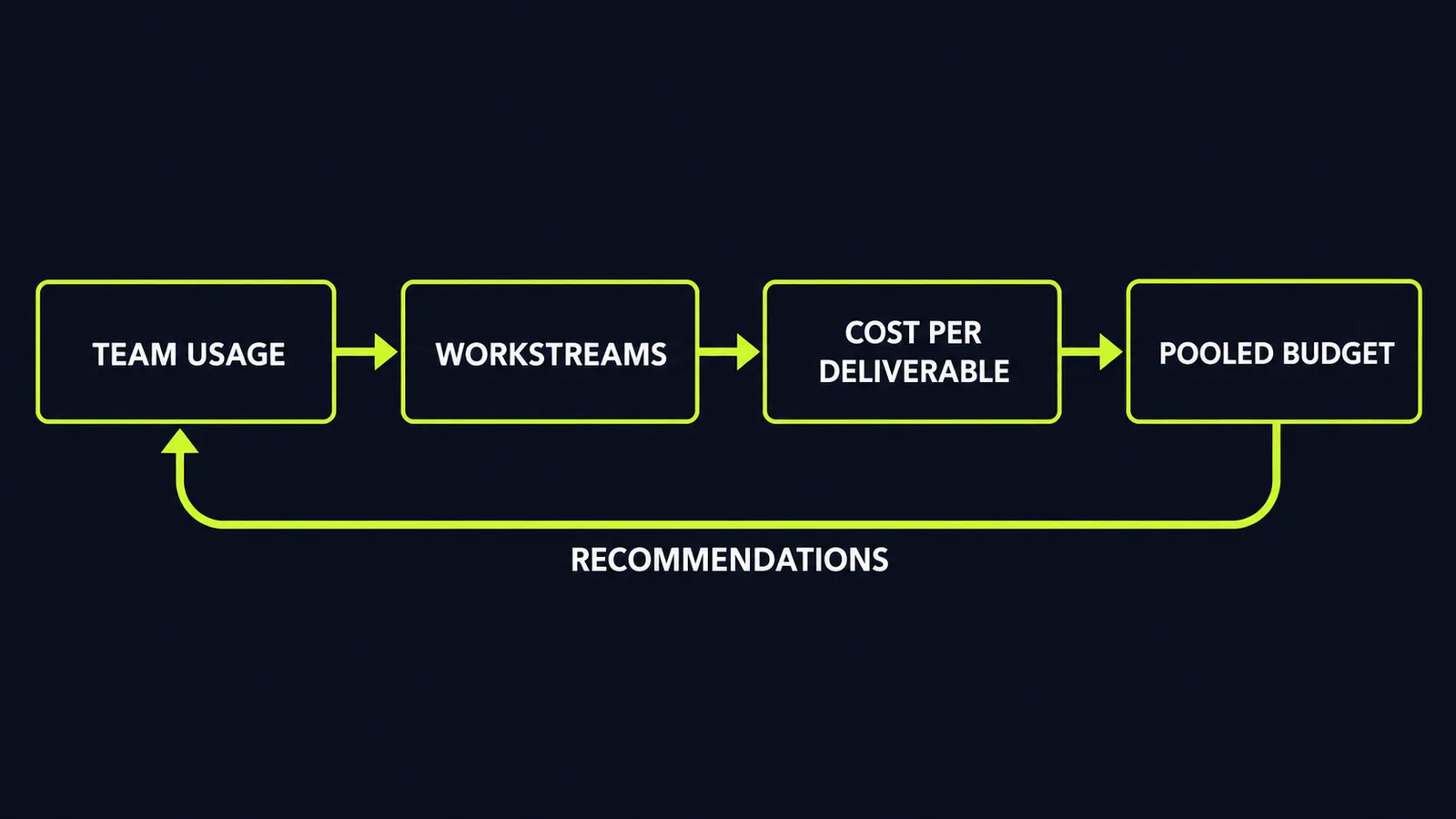
Smart reports are the centrepiece. An admin picks a team, a date range and the products to include; Claude then analyses a sample of the team's transcripts, groups the activity into workstreams, and shows the spend for each one, the deliverables produced and the most common points of friction, such as a missing connector or a failed tool call, per Smart reports, surveys, and pooled group budgets for Claude Enterprise. Each report ends with one consolidated list of recommendations, including recurring workflows worth turning into reusable skills.
Reports cover up to the last 28 days, price each workstream at list price, show average cost per session by output type, and count sessions that produced nothing usable — shown only as an aggregate count and cost, per Anthropic Adds Smart Reports, Surveys, Pooled Budgets to Claude Enterprise. Each organisation can run up to 10 reports per month at no charge, and the feature is off by default until an owner enables it, per the same report.
In-app surveys add the team's own view. The default questions ask for the most valuable thing someone did with Claude recently, how it changed the time the work took, which use a teammate should copy, and what would break or slow down first if access disappeared, per Smart reports, surveys, and pooled group budgets for Claude Enterprise. Admins can customise or remove questions, choose who receives a survey, and export responses to a spreadsheet.
A group gets one shared monthly budget while member limits still apply as a guardrail; every request counts against both, and a member stops at whichever runs out first, per Smart reports, surveys, and pooled group budgets for Claude Enterprise. Admins with billing permission get email alerts at 50%, 75%, 95% and 100% of a budget, and the setup suggests an amount from recent usage.
Why vendors are suddenly selling receipts
Reporting on the launch notes that Anthropic shared financials with investors this week showing the company recorded an operating profit in the second quarter and 900% net revenue retention — spending from the same customers in Q3 2025 grew roughly ninefold by Q3 2026, per Anthropic just launched tools to show companies what their AI spending is buying. When existing customers spend that fast, the vendor's next problem is not adoption. It is a finance review asking what the spend bought.
In survey data cited in coverage of the launch, 89% of surveyed executives said their organisations benefited from AI, but only 12% consistently compared that value with cost, per Anthropic ships Claude Enterprise cost tools as AI ROI doubts persist. That is the measurement gap smart reports aim at: usage, output and list-price cost, instead of a token invoice nobody can map to work.
Read the limits honestly, though. A smart report shows what a team produced and what it cost at list price, calculated before any discounts. The reports analyse a sample of transcripts, not a complete record, and they do not prove the output raised revenue or cut headcount cost; self-reported time savings from a survey are still self-reported. Anthropic itself positions the reports for adoption and investment planning — explicitly not for evaluating individual performance or making employment decisions, per Smart reports, surveys, and pooled group budgets for Claude Enterprise. The privacy controls matter here: attribution to individual users is off by default, and when an organisation enables it, names stay hidden until a viewer actively reveals them, with each reveal logged, and sessions flagged as involving restricted topics feed only aggregate analysis, per Anthropic Adds Smart Reports, Surveys, Pooled Budgets to Claude Enterprise. The exclusions are precise, too: organisations using customer-managed encryption keys, a health-data compliance configuration or a hybrid deployment cannot use smart reports at all, and zero-retention usage is covered only in part, per the same report.
The pattern worth copying, whatever platform you run
The useful pattern is three-part: group AI activity into named workstreams instead of one undifferentiated token total; attach a cost and a deliverable to each workstream; then fix the friction the data exposes — the missing connectors, failing tool calls and endlessly repeated prompts, per Anthropic Adds Smart Reports, Surveys, Pooled Budgets to Claude Enterprise.
Pooled budgets carry a second lesson. Per-seat limits punish your heaviest users early in the month while light users leave budget unspent. A shared pool with an individual guardrail matches how work actually arrives: unevenly — and earlier alerts give teams time to adjust spending before the cap arrives.
What this means for your business
1. Demand cost per workflow, not cost per seat. If your current reporting cannot say what a named workflow cost last month and what it produced, you do not have AI reporting — you have a bill. Start by grouping usage into workstreams, even manually, and pricing each one.
2. Treat friction data as the real return. The most actionable lines in these reports are not the totals. They are the failed tool calls, missing connectors and sessions that produced nothing usable. Fixing one broken connector may be worth more than renegotiating a token rate.
3. Turn repeat work into shared assets. When the same task appears every week, it should become a skill, a template or an automated workflow with a known cost — not a recurring prompt rewritten from scratch each time. That conversion cuts repeated manual effort and avoidable rework instead of paying for them every week.
4. Set pooled budgets with early alerts. Give teams a shared pool sized from recent actual usage, keep an individual limit as a guardrail, and set alerts well before the cap. Name an owner for each pool to review alerts and approve increases — otherwise the alerts become noise. A budget that only speaks at 100% is a shutdown notice, not a control.
5. Keep the measurement honest. Use reports like these to plan investment and find waste. Do not present list-price cost and self-reported time savings as proven profit, reconcile reported figures against actual invoices before quoting either as savings, and do not use adoption data to grade individuals — the vendor itself warns against that, and individual-level monitoring may discourage the experimentation that finds the useful workflows in the first place.
The launch points to where enterprise AI purchasing is heading: cost visibility and workflow outcomes are becoming a bigger part of the decision. Teams that build cost-per-workflow reporting now will walk into their next budget review with a clearer basis for decisions.
Want to know what your AI spend is actually buying, workflow by workflow? Get a free AI audit — we'll map your highest-leverage automation opportunities in one session.
Sources
- https://claude.com/resources/articles/smart-reports-surveys-pooled-budgetsclaude.com
- https://techcrunch.com/2026/10/28/anthropic-just-launched-tools-to-show-companies-what-their-ai-spending-is-buying/techcrunch.com
- https://www.unite.ai/anthropic-adds-smart-reports-surveys-pooled-budgets-to-claude-enterprise/unite.ai
- https://www.cryptopolitan.com/anthropic-claude-enterprise-cost-tools-ai/cryptopolitan.com
- https://dailyaibrief.com/news/anthropic-claude-enterprise-smart-reports-pooled-budgets-4yMBlBSQdailyaibrief.com
Want to know what this means for your stack? A free AI audit maps your workflows and shows where automation pays off — in your numbers, not ours.